

about me
a passionate developer who loves to code


2
successfulyears
about me
Front-end developer with more than 1 year of experience in the field. I like a challenging career Communications Director. As per my learning, I am skilled in HTML5, CSS3, Bootstrap, Tailwind CSS, DaisyUI, Javascript, ReactJS, NodeJS, ExpressJS, Firebase and MongoDB. I feel very comfortable learning If you need any kind of technology beyond my expertise.
-
-
name
Md. Ashiquzzaman
-
email
ahmedashik18k@gmail.com
-
phone
01882402922
-
name
-
-
address
Keranigonj, Dhaka
-
degree
master
-
freelance
available
-
address
0
digital products0
direct clients0
total projects0
awards win
skills
i work hard to improve my skills regularly
HTML
95%CSS
75%JavaScript
90%React
70%Node Js
80%MongoDB
90%my Blog

START WITH THE HTML
In our HTML file, we create a heading, two paragraphs with some lorem ipsum text, and a footer so that we can easily test the sticky footer functionality. Open your code editor, create a new folder (or project, depending on the code editor) and an empty index.html file inside of it.

This is what you need to know about Web Design
Typically, that training will cover design theory, website design, responsive design, and user research, as well as the technical side of a Web Designer's job, including the specific programs, tools
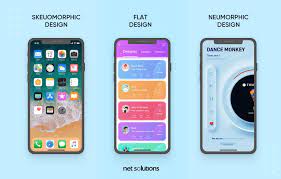
Get started with Web Design and UI Design
You can achieve anything if you put your mind to it, and learning web design on your own is not an exception.
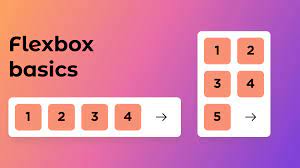
HOW TO CREATE A STICKY FOOTER WITH FLEXBOX
Creating a sticky footer is one of the most common web development tasks you can easily solve with flexbox. Without a sticky footer, if you don’t have enough content on the page, the footer “jumps” up to the middle of the screen, which can

ADD SOME BASIC STYLES IN CSS
To make our demo work, let’s start our CSS file with some simple resets and basic styles. However, note that these basic styles are just recommendations and you can use any other styles instead of them — they are not required for the sticky footer functionality.
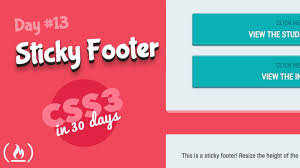
MAKE THE FOOTER STICKY WITH FLEXBOX
Now let’s see the CSS code that we need to use to create a sticky footer with flexbox. In fact, it is just five CSS rules. You can use this technique with any kind of footer in any browser that supports flexbox. Flexbox support is pretty good by now; currently 97.93% of all browsers in use support it globally, and it’ll get even better with time.



contact